
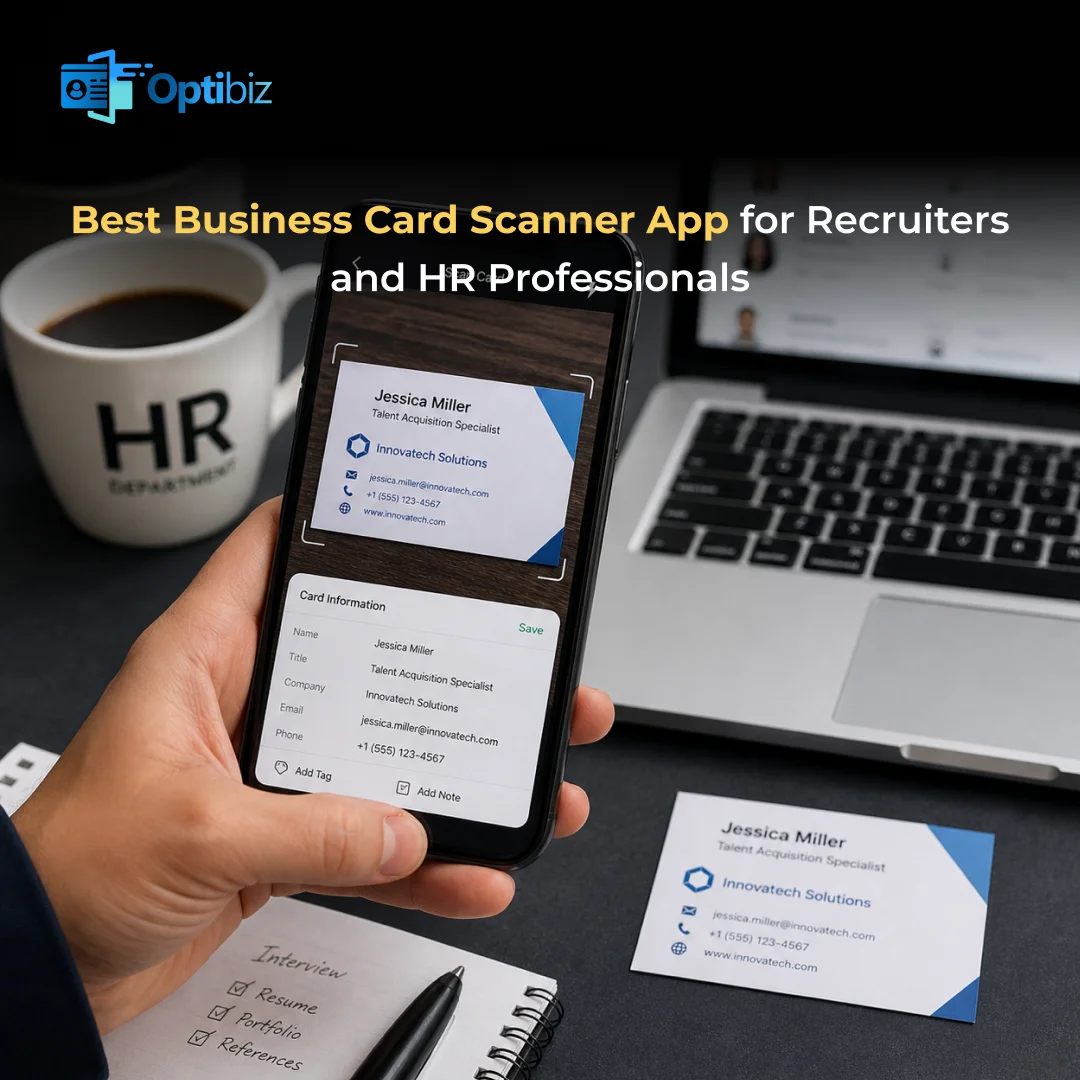
Recruitment is a people business. Every conversation at a networking event can lead to your next great hire. People exchange business cards to get talent for their own business. But most of the cards are just lost or difficult to manage. A lost card means a lost candidate.
Manually doing the data entry is another pain point. Typing takes a lot of time. It is not easy to handle such huge amounts of information without making any mistakes. A single wrong digit in a phone number means you can never reach that candidate again.
A good business card scanner app solves both problems. You scan the card of the person to save it directly to your phone. There are multiple apps available that you can choose based on your convenience. Tools like Optibiz make managing contacts easy for professionals. It is best for use if you are an HR person who doesn’t have enough time to handle contacts.
What to Look for in a Business Card Scanner App
Not every scanner app is made for recruiting. There are a few requirements of an HR professional. Choosing the right business card scanner app is very important for a smooth workflow. Here are a few things that one should look for:
Accuracy: The app needs to collect the information correctly. It is always smart to test with your own cards before you start using them. Check if the app is able to read out the different fonts and layouts.
CRM integration: Your contacts need to flow directly into your CRM. Look for apps that connect with the system that your team uses. There is no point in using an app that does not save you much time.
Tagging: Naming the contacts based on tags helps a lot. An HR needs a clear view of what a candidate’s role is. Go for a business card scanner app like Optibiz, which helps you tag people for better understanding.
Offline scanning: There are some events with poor internet access. A good app lets you scan cards offline. It will sync your data once you are back online. Look for this feature if you are a professional.
Batch scanning: Attending an event means you are collecting at least 50 to 100 cards. Scanning them one by one is time-consuming. Some apps let you scan multiple cards quickly. You don’t have to go through a long process each time.
Top Business Card Scanner Apps
Here is a closer look at the apps that stand out for people in recruitment and human resources.
Salesflare: Best for Teams Already Using a CRM
Salesflare has a business card scanner directly into its mobile CRM app. The app automatically reads the details when you scan a card with your phone camera. The best thing is that it adds the contact straight into your CRM. You don’t need to export anything.
It also uses machine learning to understand details on the card. Your whole team can see the new contact easily. This is the easiest option if your company already uses Salesflare. The scanning feature is free inside the app.
Popl: Best for Recruiting at Events
Popl is not just a scanner. It is made for collecting leads at different types of events. It offers you multiple features. You can scan:
- Business cards
- Event badges
- QR codes
All from the same app. Popl uses AI to automatically fill in missing information. It adds verified email addresses for you. This makes it very useful for recruiters who meet many people at events.
Optibiz: For the Overall Purpose
This business card scanner app is made to quickly turn paper business cards into digital contacts. It is Available on both Android and iOS. This app is best for recruiters and HR professionals. Optibiz offers various features for a smooth workflow.
- Fast AI scanning of business cards with high accuracy
- Automatic contact saving to your CRM systems
- Digital business cards with NFC support ( no printing needed )
- Smart contact organization with easy editing
OptiBiz is created for professionals who want to save time. It combines networking tools in one simple app.
CamCard: Best Free Basic Option
CamCard is one of the oldest business card scanner apps. It quickly saves the information into your phone as digital contacts. You can also export your contacts to Excel or CSV files.
It does not have advanced recruiter tools like tagging, but it is very reliable. The app is completely fine for basic use. It is a good choice if you want a simple scanner for regular needs.
Google Lens: No need to Install Anything
The app is already available on many Android phones. It also works through Google Photos. You just point your camera at a business card to extract the details. The app helps you save the contact to Google Contacts. There is nothing to install. The app is completely free.
It works well for simple business cards. Google Lens may struggle with creative designs. But it is an easy option for people using Google Workspace.
Covve: Best for Excel Export
This app focuses on data accuracy. It uses AI for data checks to reduce mistakes when scanning cards. This business card scanner app is helpful if you are scanning many candidate contacts.
It also makes it easy to export everything into Excel. This makes it very useful for HR teams that manage candidate lists in spreadsheets. Covve also has a free version. You can go for extra features in paid plans.
Which Business Scanner App to Use?
The best business card scanner app for you depends on how you work. Your goal should match the app you are using. Make sure you choose the app that best fits your professional needs. Remember to check out the privacy policy of each app before using it. A good scanner app will turn every handshake into a real contact. Go through the required features properly if you are a recruiter.
Optibiz is worth trying if you are looking for a reliable option. It is a fully customizable digital business card in one app. This is a strong choice for professionals who want accuracy without complexity. Download Optibiz from the App Store or Google Play Store to see how it fits into your daily networking.
Frequently Asked Questions
Can I use Optibiz at events without internet access?
Yes, Optibiz is created to work where the internet may not be available. You can easily store business cards offline.
Are business card scanner apps accurate enough to trust?
Most modern apps have accuracy rates above 90 percent. It is always a good idea to check scanned contacts before saving them.
How does Optibiz extract information from a business card?
Optibiz uses OCR technology to read the text on a business card. It automatically saves the key details to your phone. Handling contacts becomes easy when you use this app.
Is there a completely free business card scanner app that works well?
Google Lens provides free scanning for you. You don’t even need to install the app if you are an Android user. The app is preinstalled on phones.
